

 Loading...








Play Google Feud online for free and dive into a fun guessing game where you try to complete popular search queries. Imagine you're on a game show, just like Family Feud, but with Google searches! Pick a category, see the beginning of a question, and guess what people are searching for. You have three chances to get it right, so think carefully! It's a great way to challenge your brain and have fun with friends or family. Can you guess all the top answers and become the ultimate search master? Let's find out!
What Is Google Feud?
Google Feud is a fun and exciting online game where you guess how Google would complete certain search phrases. Created by American developer Justin Hook, this game was first released on April 23, 2013. It's like a quiz where you try to figure out what people are searching for on Google.
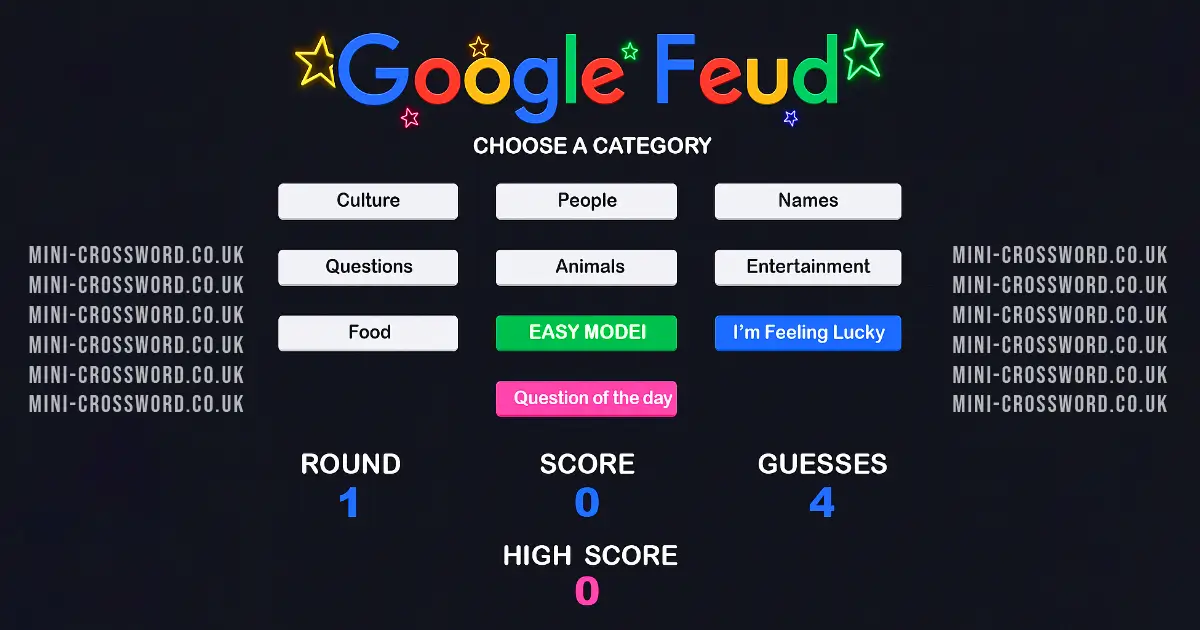
The game is easy to play but can be tricky to master. You start by choosing a category such as culture, people, names, or questions. Then, you try to guess the top autocomplete suggestions for a given query. You have three guesses for each question, so think carefully!
Players earn points for each correct answer, ranging from 1,000 to 9,000 points. If you make three incorrect guesses, the round ends, and you don't score any points. This game can be played on web browsers and iOS devices, making it accessible for everyone.
Google Feud is not only a great way to test your knowledge of popular search trends but also a fun activity to enjoy with friends and family. Give it a try and see if you can become an autocomplete master!
Google Feud Gameplay Mechanics
In this fun and interactive game, you become a detective of internet searches! Start by choosing one of four exciting categories: culture, people, names, or questions. Once you've picked your category, a question will pop up that asks, "How does Google autocomplete this query?" Your mission is to guess the top search terms that complete the query.
You have three chances to guess the correct answers for each question. Type your guess into the search box and hit enter. If your guess matches one of the top search terms, you'll score points ranging from 1,000 to 9,000. But be careful! If you make three incorrect guesses, the round ends and you don't score any points for that question.
Each round is a new chance to test your skills and learn what people are searching for online. The answers can be surprising and funny, making the game both educational and entertaining. You can play alone or challenge your friends to see who is the ultimate search engine expert!
The game is easy to play but tricky to master, offering endless fun as you try to guess all ten answers correctly. It's a great way to boost your critical thinking skills while having a blast with family and friends.
Play Google Feud on Any Device
You can play this game directly in your web browser on desktop, laptop, tablet, or mobile.
How to Play Google Feud: A Beginner's Guide
Welcome to a fun and exciting game where you guess what people are searching for online! Get ready to challenge yourself and see if you can think like everyone else.
- First, choose a category. You can pick from culture, people, names, or questions.
- Once you select a category, you'll see part of a question or phrase. Your job is to guess the most popular ways people complete it.
- Type your answer and press enter. If your guess is right, you'll earn points!
- You have three tries to guess correctly for each question. If you guess wrong three times, the round ends.
- After each round, you can choose to try the same category again or pick a new one.
Remember, every correct guess brings you closer to becoming a master of this guessing game. Have fun and enjoy playing with friends and family!
Mastering Google Feud Controls
Playing this game is straightforward and engaging. Here's how you can master the controls:
- Use your mouse and keyboard to interact with the game.
- Start by clicking on a category you want to play.
- A question will appear in the search box.
- Type your answer to the query and hit enter.
- You have three guesses to get the correct answers for each question.
- For an authentic experience, click the "X" buttons to mark incorrect answers.
Pro Tips to Master Google Feud
Want to become a pro at this fun and challenging game? Follow these tips to improve your guessing skills and impress your friends!
- Understand the Categories: Get familiar with the four categories: culture, people, names, and questions. Knowing what type of answers fit each category can help you make better guesses.
- Think Like the Internet: Imagine what most people might search for. Sometimes the most popular searches are surprising, so think outside the box!
- Use Autocomplete for Hints: If you're stuck, try typing the beginning of the query into a real search engine and see what autocomplete suggestions pop up. This can give you clues about popular searches.
- Play with Friends: Team up with friends or family. More brains mean more ideas and a higher chance of guessing correctly.
- Learn from Mistakes: Pay attention to wrong answers. They can help you understand patterns and improve your guesses in future rounds.
- Stay Calm and Have Fun: Remember, it's just a game! Enjoy the funny and unexpected answers, and don't worry too much about winning every round.
Key Features That Make Google Feud Special
This game is both fun and challenging, offering a unique experience for players of all ages. Here are some of the key features:
- Four Exciting Categories: Choose from culture, people, names, and questions to test your knowledge.
- Surprising Answers: Discover funny and bizarre answers that will shock and amuse you.
- Simple Yet Challenging: Easy to play, but guessing all answers correctly is tricky.
- Points System: Earn between 1,000 - 9,000 points for each correct guess.
- Three Guesses Per Round: Use your guesses wisely to maximize your score.
- Play with Friends and Family: A great game for social gatherings, encouraging friendly competition.
- Available on Multiple Platforms: Play on web browsers and iOS devices.
Play Google Feud Online for Free
Experience the fun and challenge of this popular quiz game directly in your web browser. This browser-adapted version allows you to enjoy the game seamlessly on various platforms, including Chrome, Firefox, Safari, and Edge. Simply choose a category, guess the autocomplete results, and see how well you know the most popular search queries. With its easy integration and real-time interaction, you can play alone or compete with friends to see who can guess the most answers correctly. Dive into this engaging online experience and test your autocomplete skills today!
Is Google Feud Free to Play?
Yes, it is free to play online. There are no fees or in-app purchases required to enjoy the game. All games on the site are free, allowing you to dive into the fun without any financial commitment. This free access encourages players to engage more, fostering a sense of community and competition. Enjoy guessing what people search for and challenge your friends without any cost, making it a perfect choice for casual gaming sessions.
Play Google Feud Unblocked
Q: Can I play the game unblocked?
A: Yes, play Google Feud Unblocked on mini-crossword.co.uk. Whether you're at school, at work, or on a break—you can play without any restrictions.
Q: What are the benefits of playing it unblocked?
A: Enjoy uninterrupted gameplay and compete with friends or colleagues in real-time. This version allows you to engage with the game fully, enhancing your experience and making it a perfect choice for both leisure and educational purposes.
Google Feud on GitHub
No need to search on GitHub, our version works on all devices at school or work. This game is a fun way to test your knowledge of what people are searching for and why. While some versions may offer integration with tools like Google Sheets™ and Google Slides™, our platform provides a seamless experience without the need for additional software. Enjoy playing on any device, whether it's a desktop or mobile, and challenge your friends to see who can guess the most popular autocomplete results.
Download Google Feud (PC, iOS, Android)
Many fans enjoy downloading the game for an even smoother experience. Here’s how:
- Android: Open the Google Play Store and tap Install.
- iOS: Open the App Store on your iPhone or iPad and tap Get.
- Google Feud APK: Android users who can’t use Google Play can find and download the APK from trusted sites to install offline.
- PC Steam: If you like playing on a computer, download the game for free via Steam and enjoy a bigger screen and controller support.
Google Feud Extension
Enhance your gaming experience with the Chrome extension. This extension allows for seamless integration into your browser, offering instant play directly from your toolbar. With this tool, you can enjoy the game more conveniently without needing to navigate to a separate webpage each time you want to play.
The extension offers potential offline modes, allowing you to engage with the game even when you're not connected to the internet. This feature ensures that your entertainment is uninterrupted, making it a perfect companion for travel or areas with limited connectivity.
Moreover, the extension facilitates effortless integration into your existing workflow, similar to the Classroom Feud add-on mentioned by competitors. It allows for real-time interaction and progressive revealing of answers, enhancing engagement and excitement during gameplay. Whether you're playing solo or competing with friends, this extension is designed to boost your experience and make guessing autocomplete queries even more thrilling.
Download the Chrome extension today and start enjoying a more accessible and immersive gaming experience.
Similar games to Google Feud
If you enjoy playing Google Feud, you might also like these similar games that challenge your word skills and quick thinking:
FAQs about Google Feud
What is Google Feud?
It's a fun game where you guess how Google autocompletes different queries.
How do you play?
Pick a category, read the question, type your guess, and hit enter. You have 3 tries!
What categories can you choose from?
You can choose from culture, people, names, and questions.
Who created the game?
It was created by Justin Hook, a creative genius behind TV shows and viral websites!
When was it released?
The game was first released on April 23, 2013.
Where can you play it?
You can play it in your web browser or on iOS devices.
How are points scored?
You earn between 1,000 to 9,000 points for each correct guess.
What happens if you guess wrong?
If you make 3 incorrect guesses, the round ends with no points.
Can you play with friends?
Yes! It's a great game to enjoy with friends and family.
Are there similar games?
You can try other quiz games like The Impossible Quiz or word games like Word Scramble.
Conclusion
Google Feud is a delightful game that challenges kids to think creatively and guess what people are searching for online. With its simple yet intriguing format, players can explore categories like culture, people, names, and questions, making each round a fun and educational experience. The unexpected answers often lead to laughter and surprise, keeping everyone engaged.
Whether you're playing solo or with friends, Google Feud offers endless entertainment. It's an excellent way for kids to develop their guessing skills and learn more about popular search trends. So why not give it a try? Gather your friends or family, hop online, and see who can become the ultimate Google search expert. Enjoy the fun and share the excitement with others!